![Full Prolegis Logo.png]](https://kb.prolegis.ca/hs-fs/hubfs/Full%20Prolegis%20Logo.png?width=200&height=88&name=Full%20Prolegis%20Logo.png)
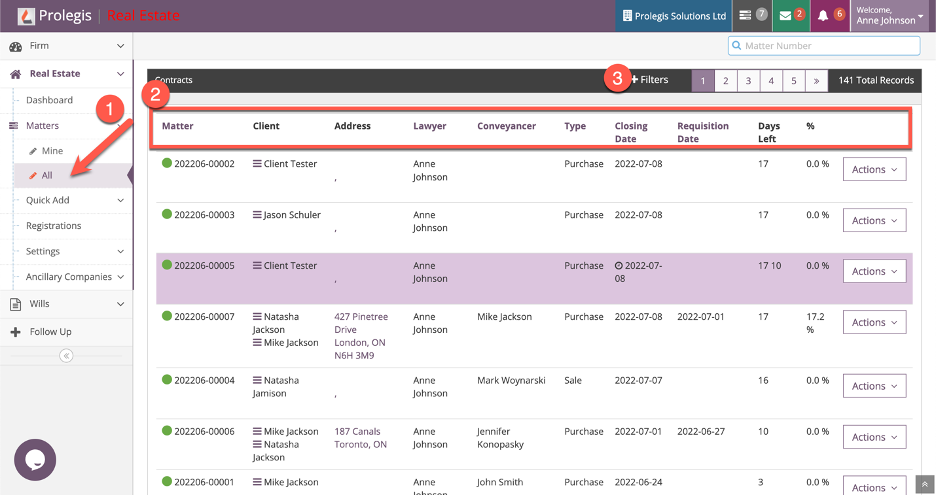
- To create an export of transactions, go to Real Estate > Matters > All.
- The search results screen has been broadened and new column headings have been added. There is now a lawyer column, a conveyancer column and a requisition date column (Ontario only).
- To add filters to the search the user clicks +Filters.
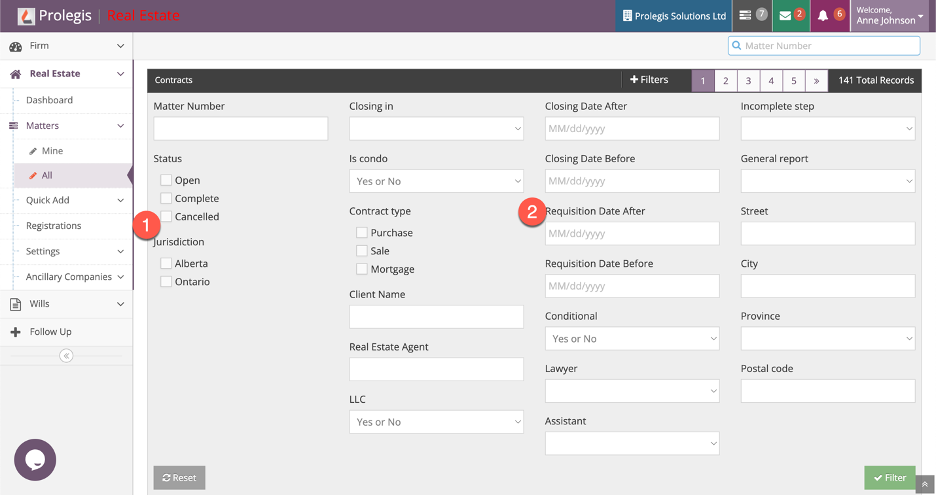
- Only relevant jurisdictions are displayed. If the firm is only operating in one jurisdiction, these jurisdiction options are not displayed.
- The ability to filter by requisition date period has been added.
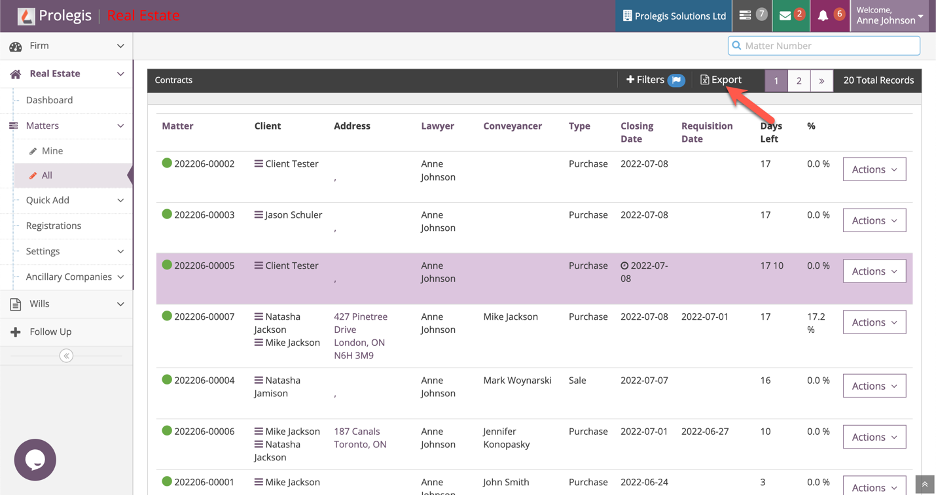
Once a filter has been applied, the user can click on the Export button. An .xlsx file will be exported with the filtered information.