---
title: Enhanced Document Generation Workflow
description: The Enhanced Document Generation Workflow streamlines how you access, search for, and view documents within Prolegis. This update focuses on centralizing access to all document types and giving you control over your browser workspace.
---
[Skip to content](https://kb.prolegis.ca/enhanced-document-generation-workflow#main-content)
[![Full Prolegis Logo.png\]](https://kb.prolegis.ca/hs-fs/hubfs/Full%20Prolegis%20Logo.png?width=200&height=88&name=Full%20Prolegis%20Logo.png)](https://simplicity.prolegis.ca/)
Open main navigation
Close main navigation
- [Home](https://kb.prolegis.ca/)
[Home](https://kb.prolegis.ca/?hsLang=en)
How can we help?
- There are no suggestions because the search field is empty.
1. [Prolegis Knowledge Base](https://kb.prolegis.ca/?hsLang=en)
2. [Real Estate Conveyancing](https://kb.prolegis.ca/real-estate-conveyancing?hsLang=en)
June 13, 2026
# Enhanced Document Generation Workflow
## The Enhanced Document Generation Workflow streamlines how you access, search for, and view documents within Prolegis. This update focuses on centralizing access to all document types and giving you control over your browser workspace.
#### ## Feature Overview
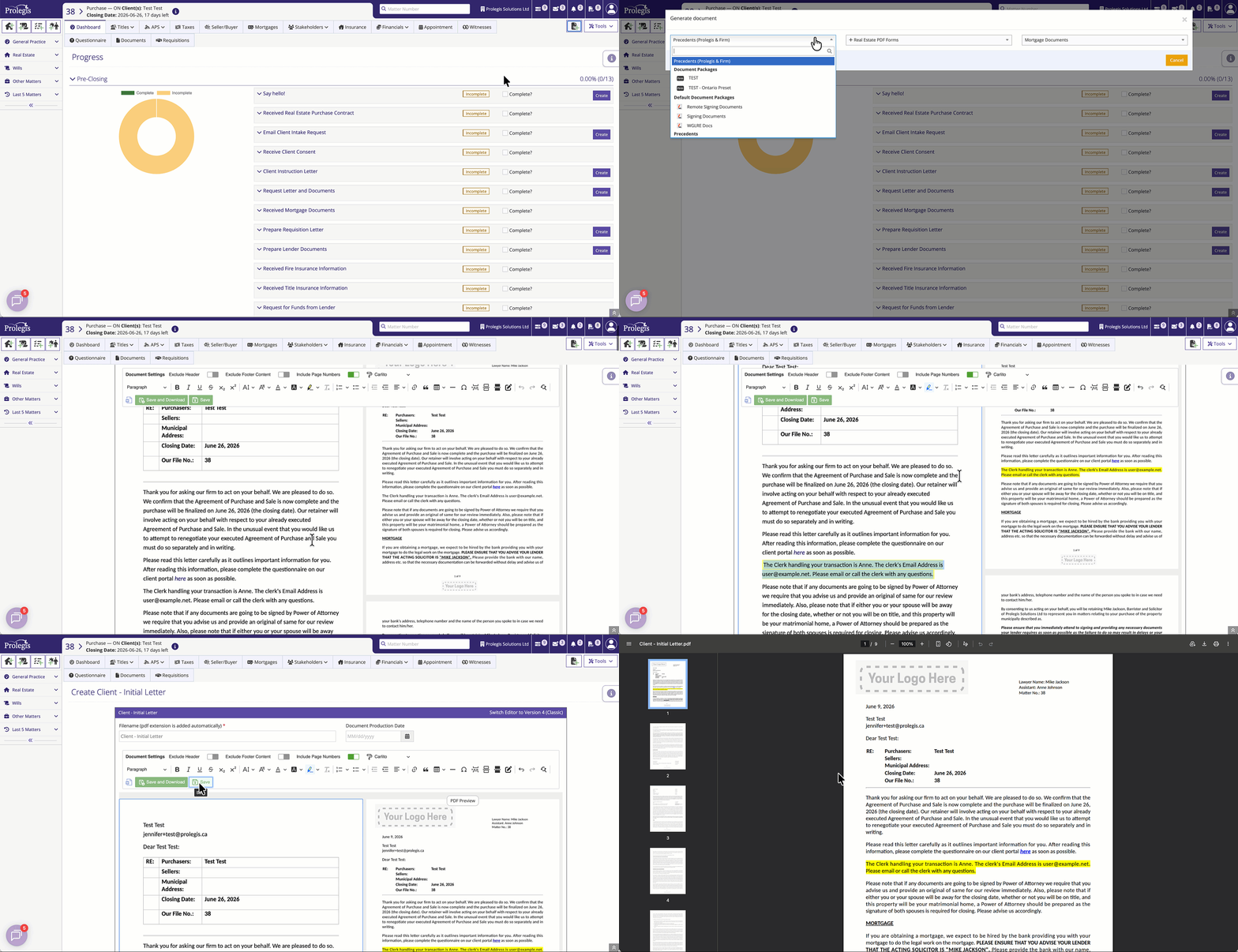
The **+Document** modal has been redesigned to provide a single, intuitive point of entry for all your document needs. Navigation is now organized into a logical, left-to-right flow:
### ### 1. Unified Generation Menu
When you open the document modal, the menu is organized into three primary sections to help you find what you need quickly:
- **Precedents (Prolegis & Firm) (Left):** Access and search your existing library of Prolegis-created documents as you always have.
- **Real Estate PDF Forms (Center):** **New!** A searchable dropdown specifically for provincial Real Estate Forms. This supports "fuzzy search"—simply type a partial name like "Form 1" or "Transfer" to instantly filter results.
- **Mortgage Documents (Right):** **New!** A contextual button that appears for **Purchase** or **Refinance** files. This provides a direct list of available lender templates and a deep-link to the **Mortgages** page.
---
### ### 2. Workspace Customization
To help manage "tab fatigue," you can now personalize how documents open after they are generated.
- **New Tab (Default):** Documents open in a separate browser tab, keeping your Prolegis dashboard active in the original tab.
- **Current Window:** Documents open in the active tab you are currently using, which is often preferred by users who want a more contained, single-window workflow.
---
#### ## How to Configure Your Preferences
To change your document viewing behavior, follow these steps:
1. Navigate to your **User Profile** settings.
2. Locate the **Create Document Window Preferences** toggle.
3. Select between **Open in New Tab** or **Open in Current Window**.
4. Click **Save**.
---
#### ## Frequently Asked Questions
**Why are there no templates listed under "Mortgage Documents"?** The list of available lender templates is generated based on the specific financial institution tied to the file. You must first add a lender in the **Mortgages** tab for their specific document templates to populate in this menu.
**How does the new Real Estate PDF Forms search work?** Instead of clicking through complex folder structures, you can now type directly into the search field in the center of the menu. The list filters in real-time to show all relevant provincial forms matching your keywords.
**Can I still find my standard Prolegis templates?** Absolutely. Your Prolegis documents remain the first option on the left side of the menu, maintaining the workflow you are already familiar with.
**Will changing my tab preference affect my colleagues?** No. This is a **User-Level** preference. Changing this toggle only affects your individual workspace experience; it will not change the behavior for other members of your firm.
- [Get started](https://kb.prolegis.ca/get-started?hsLang=en)
- [Real Estate Conveyancing](https://kb.prolegis.ca/real-estate-conveyancing?hsLang=en#main-content)
- [Alberta](https://kb.prolegis.ca/real-estate-conveyancing?hsLang=en#alberta)
- [Ontario](https://kb.prolegis.ca/real-estate-conveyancing?hsLang=en#ontario)
- [Estate Plan](https://kb.prolegis.ca/estate-plan?hsLang=en)
- [Get Organized](https://kb.prolegis.ca/get-organized?hsLang=en)
- [New!](https://kb.prolegis.ca/new?hsLang=en)
- [FAQs](https://kb.prolegis.ca/faqs?hsLang=en)
- [Integrations](https://kb.prolegis.ca/integrations?hsLang=en)
- [Settings](https://kb.prolegis.ca/settings?hsLang=en)
[](http://www.prolegis.ca)
www.prolegis.ca Help Center
Copyright © 2026, Prolegis Solutions Ltd.