![Full Prolegis Logo.png]](https://kb.prolegis.ca/hs-fs/hubfs/Full%20Prolegis%20Logo.png?width=200&height=88&name=Full%20Prolegis%20Logo.png)
To add a prospective client / deal to Prolegis you can either:
1. Click the Add Prospect quick action, or
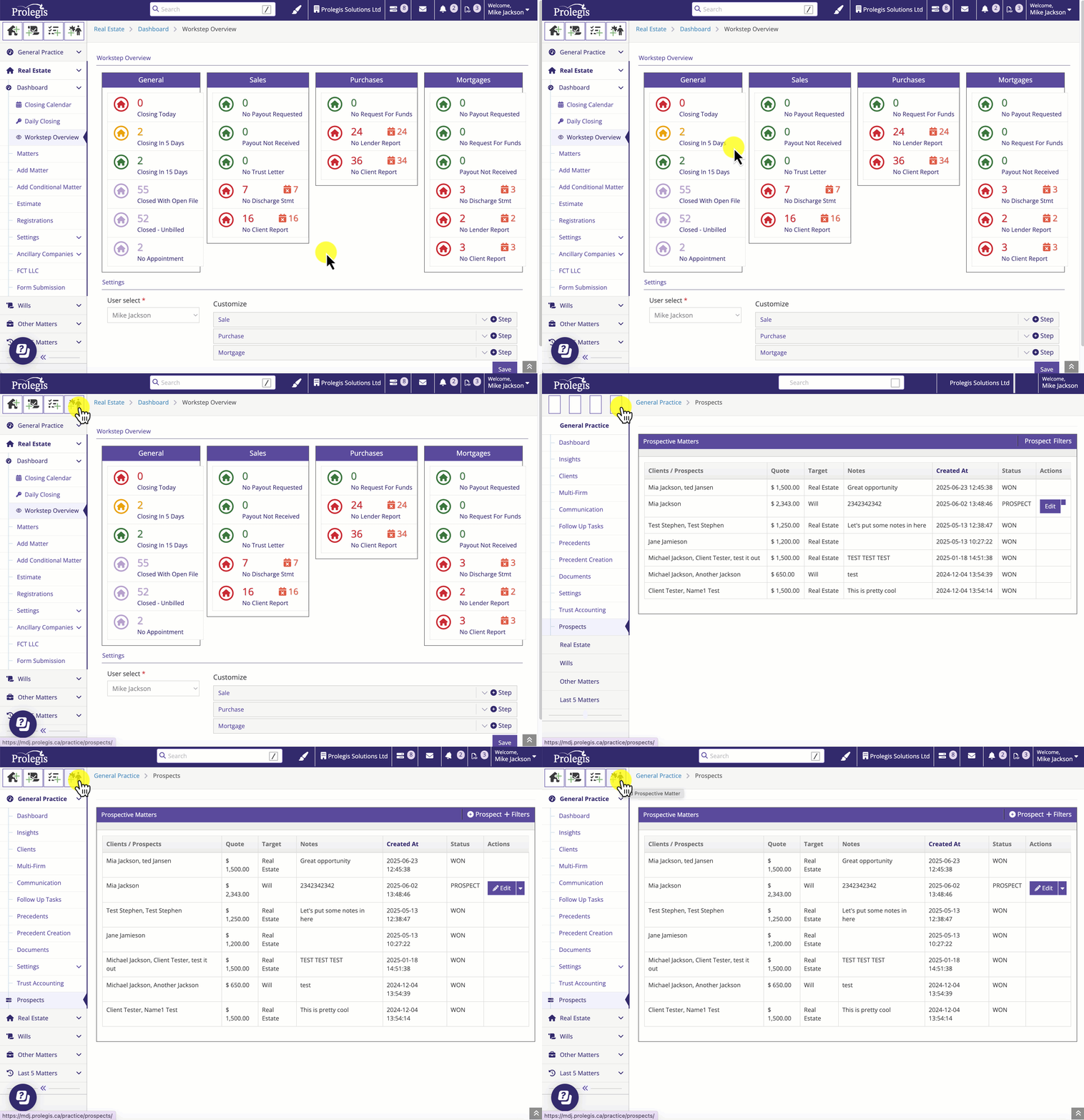
2. Navigate to the General Practice menu and click "Prospects"

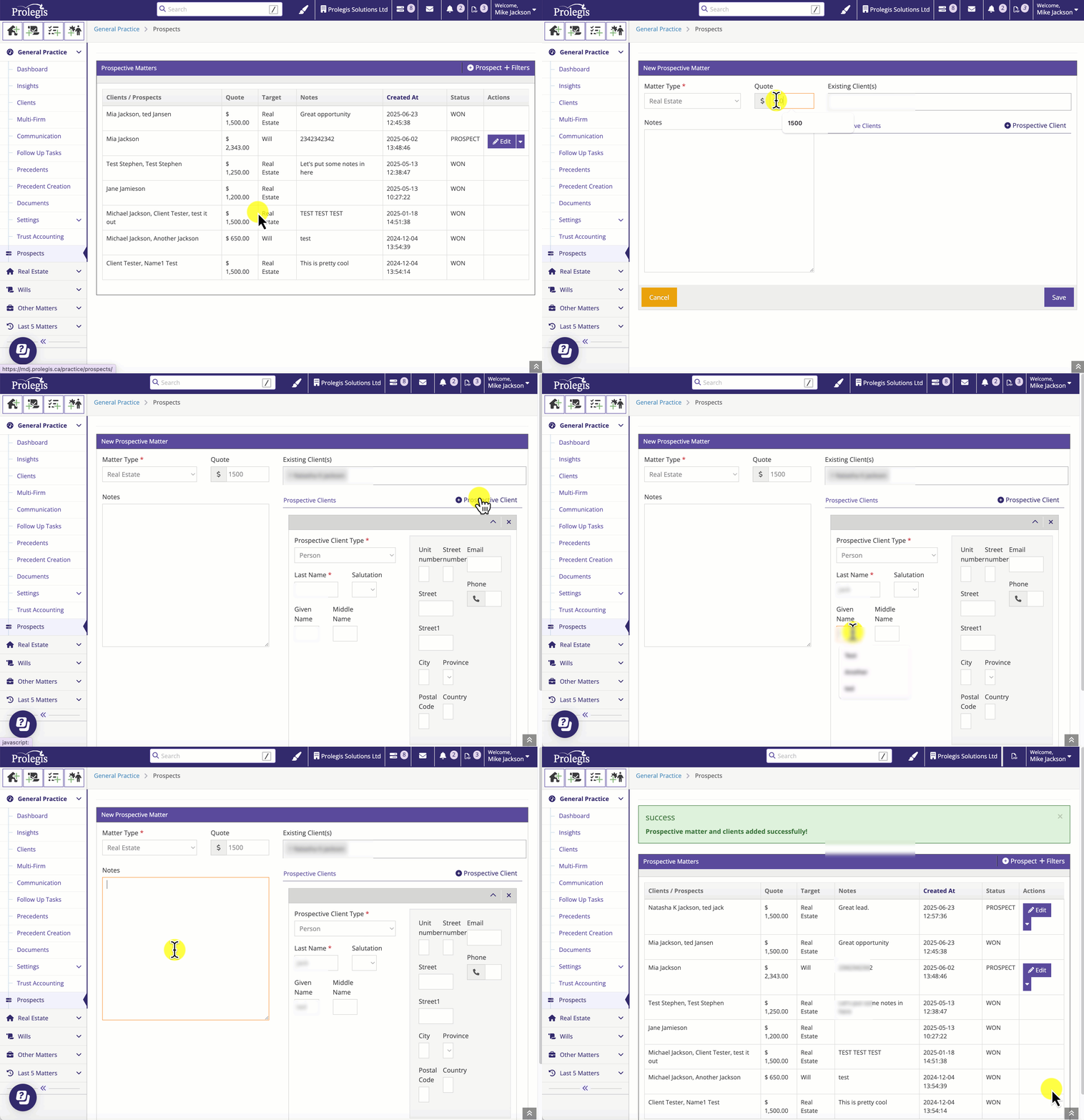
Add the new prospect and complete the details. You can add existing clients as prospects and new people as prospects.
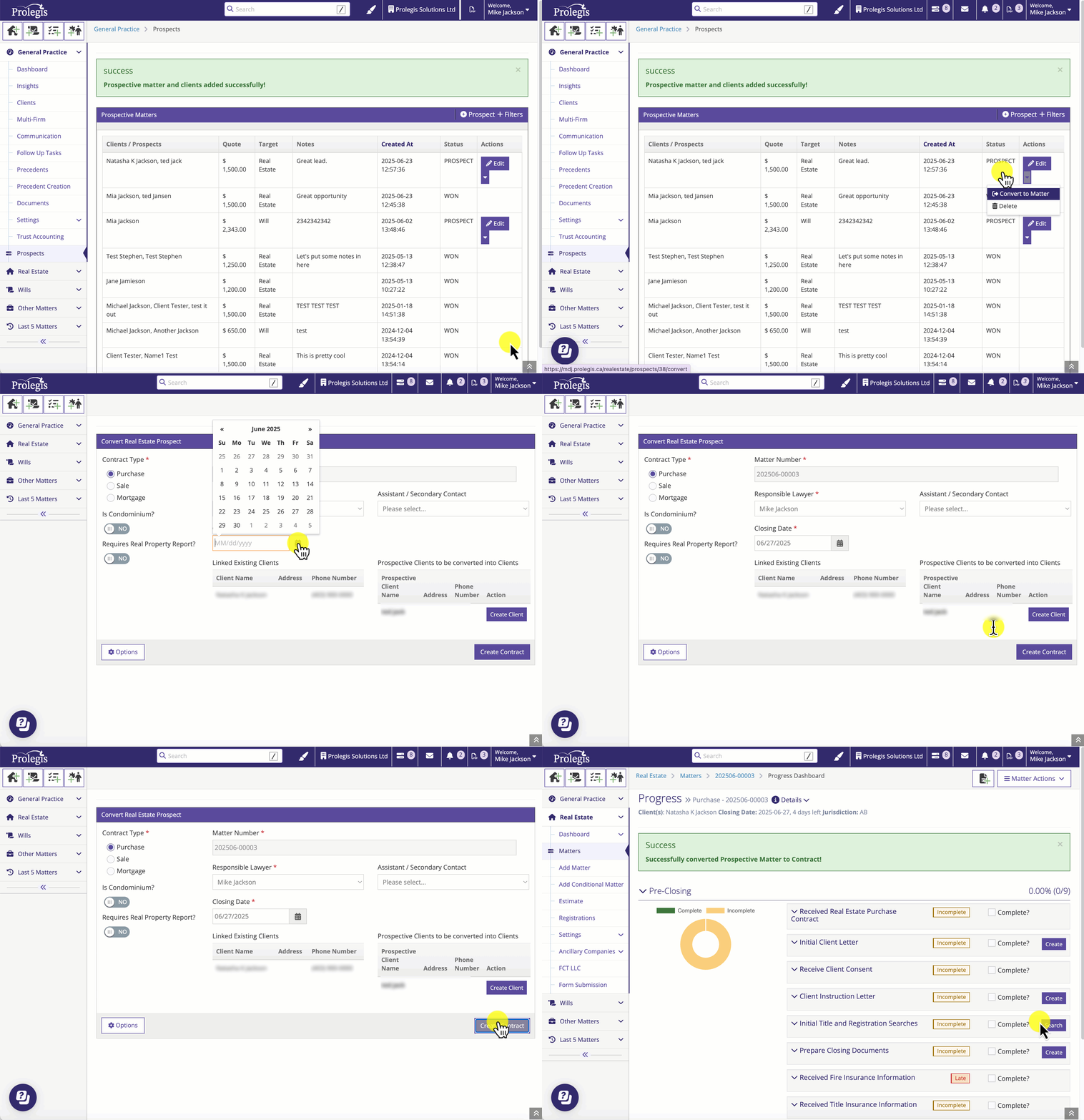
Once you have confirmation that you've won the deal, create the matter.