![Full Prolegis Logo.png]](https://kb.prolegis.ca/hs-fs/hubfs/Full%20Prolegis%20Logo.png?width=200&height=88&name=Full%20Prolegis%20Logo.png)
- Any conditions that are required to be completed before closing, may or may not contain a holdback, should be added under Actions > Property > Conditions and Additional Terms. This will allow for the condition to become a task in the Progress Dashboard (your checklist) , and you will receive a task reminder on the due date indicated.
- Record the holdback amount in your Trust Ledger (Actions > Trust Ledger) as an adjustment as follows:
- Click +Adjustment
- Click the down arrow to open the adjustment
- Enter the Description, Amount and for Type select (“Payment”)
- Click "Save"
- Record any disbursed funds as as adjustment
- For example, record the "Estimated Proceeds" actually disbursed to the client as an adjustment (Type "Payment")
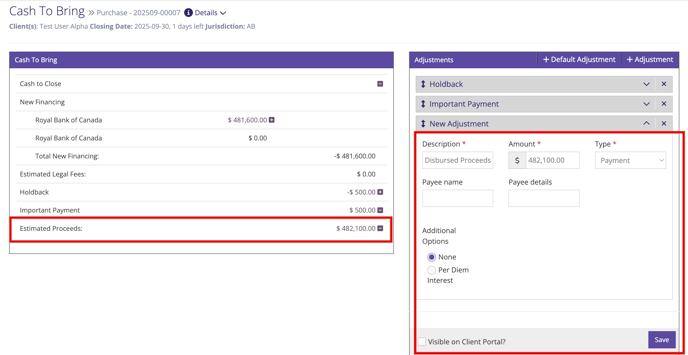
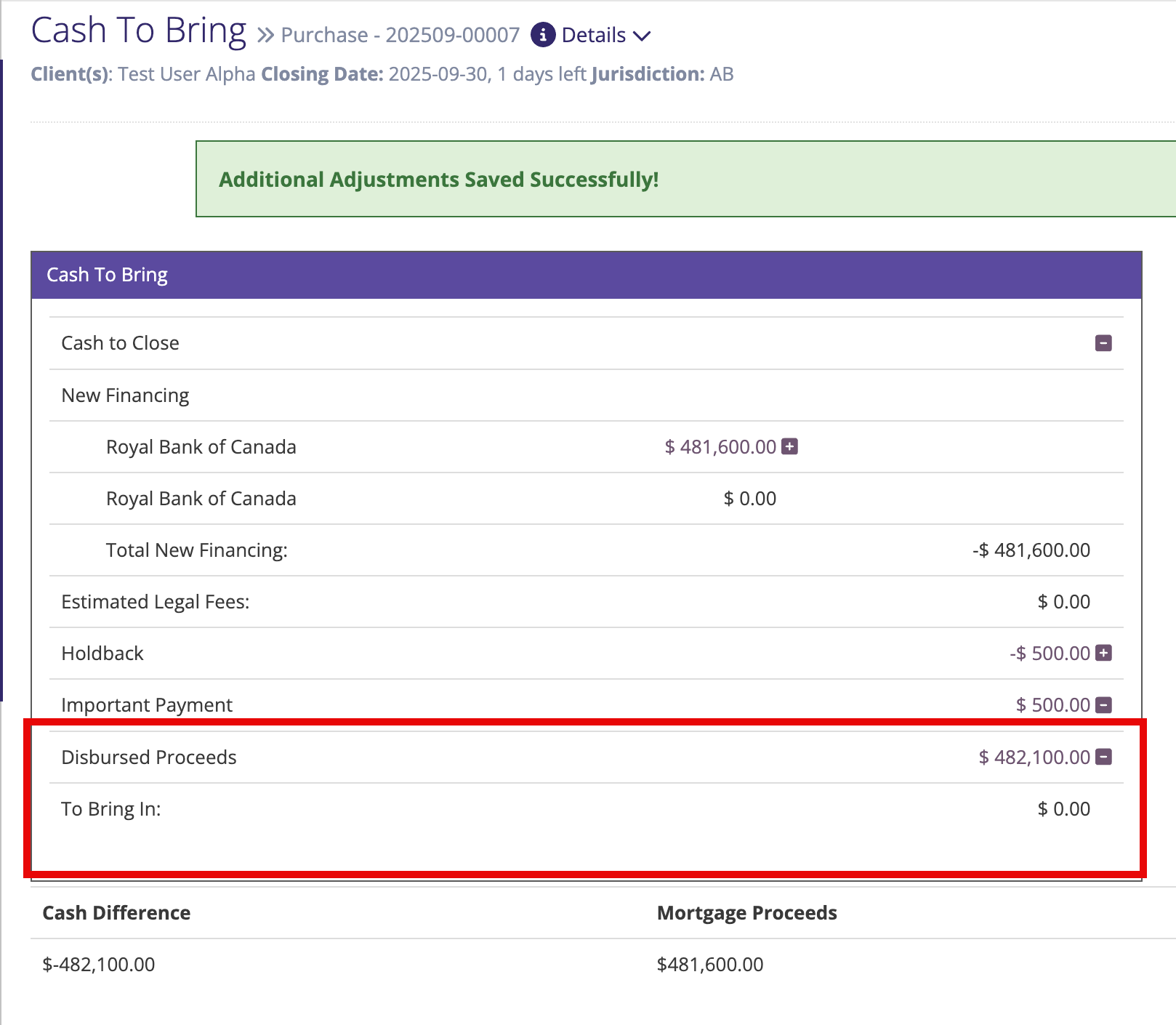
- For example, record the "Estimated Proceeds" actually disbursed to the client as an adjustment (Type "Payment")
- When you are ready to release the funds, you can either:
- remove the holdback adjustment from the Trust Ledger (click the “x” and then “Save”). The Estimated Proceeds should be the amount of the holdback.
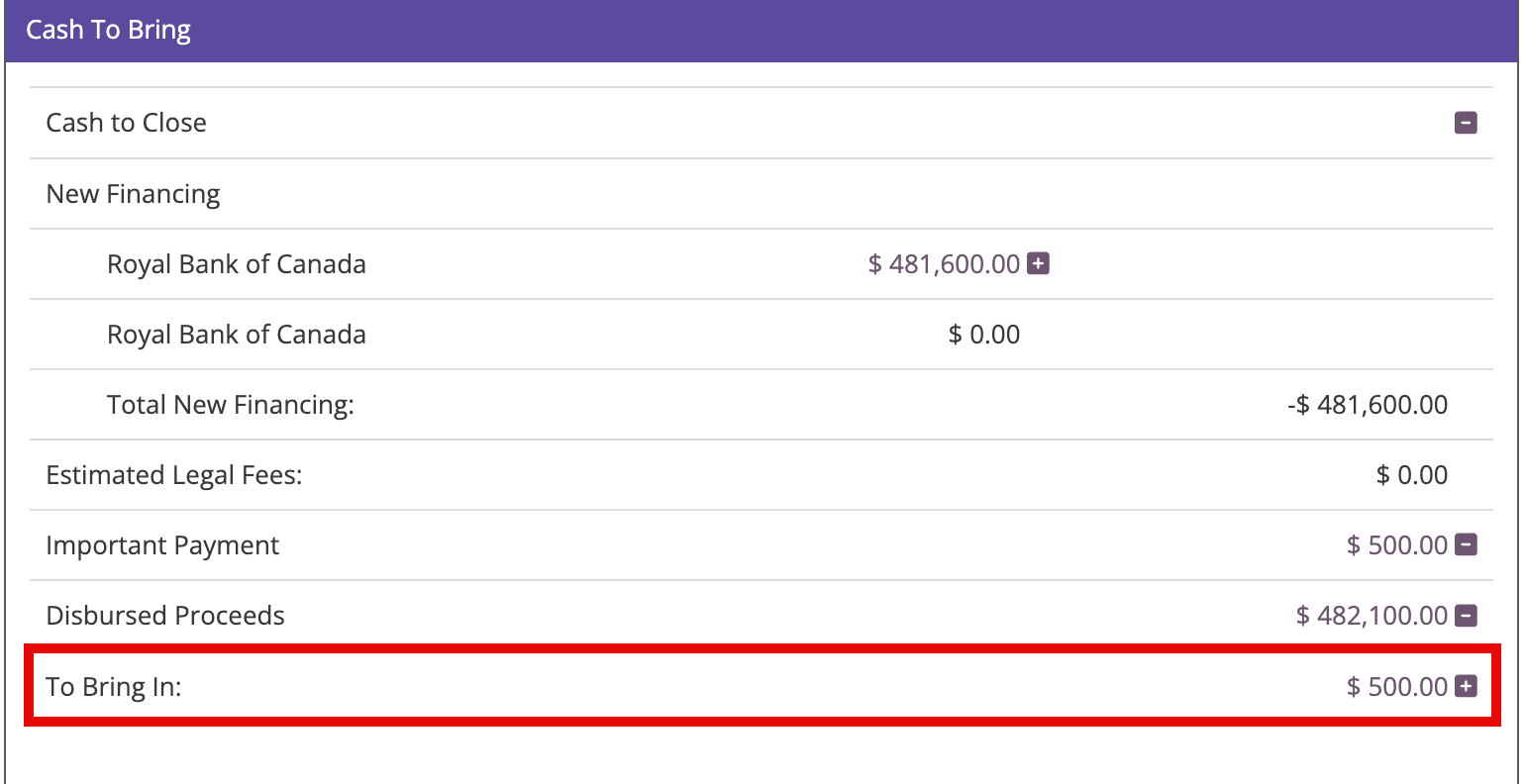
OR - rename the holdback. The Estimated Proceeds should be zero.
- remove the holdback adjustment from the Trust Ledger (click the “x” and then “Save”). The Estimated Proceeds should be the amount of the holdback.