---
title: How do I add other charges to a statement of account?
description: Other Charges and Disbursements are separated into separate categories in the Statement of Account / Invoice and also in other breakdowns of funds (net proceeds / cash to bring).
---
[Skip to content](https://kb.prolegis.ca/how-do-i#main-content)
[![Full Prolegis Logo.png\]](https://kb.prolegis.ca/hs-fs/hubfs/Full%20Prolegis%20Logo.png?width=200&height=88&name=Full%20Prolegis%20Logo.png)](https://simplicity.prolegis.ca/)
Open main navigation
Close main navigation
- [Home](https://kb.prolegis.ca/)
[Home](https://kb.prolegis.ca/?hsLang=en)
How can we help?
- There are no suggestions because the search field is empty.
1. [Prolegis Knowledge Base](https://kb.prolegis.ca/?hsLang=en)
2. [Real Estate Conveyancing](https://kb.prolegis.ca/real-estate-conveyancing?hsLang=en)
July 1, 2025
# How do I add other charges to a statement of account?
## Other Charges and Disbursements are separated into separate categories in the Statement of Account / Invoice and also in other breakdowns of funds (net proceeds / cash to bring).
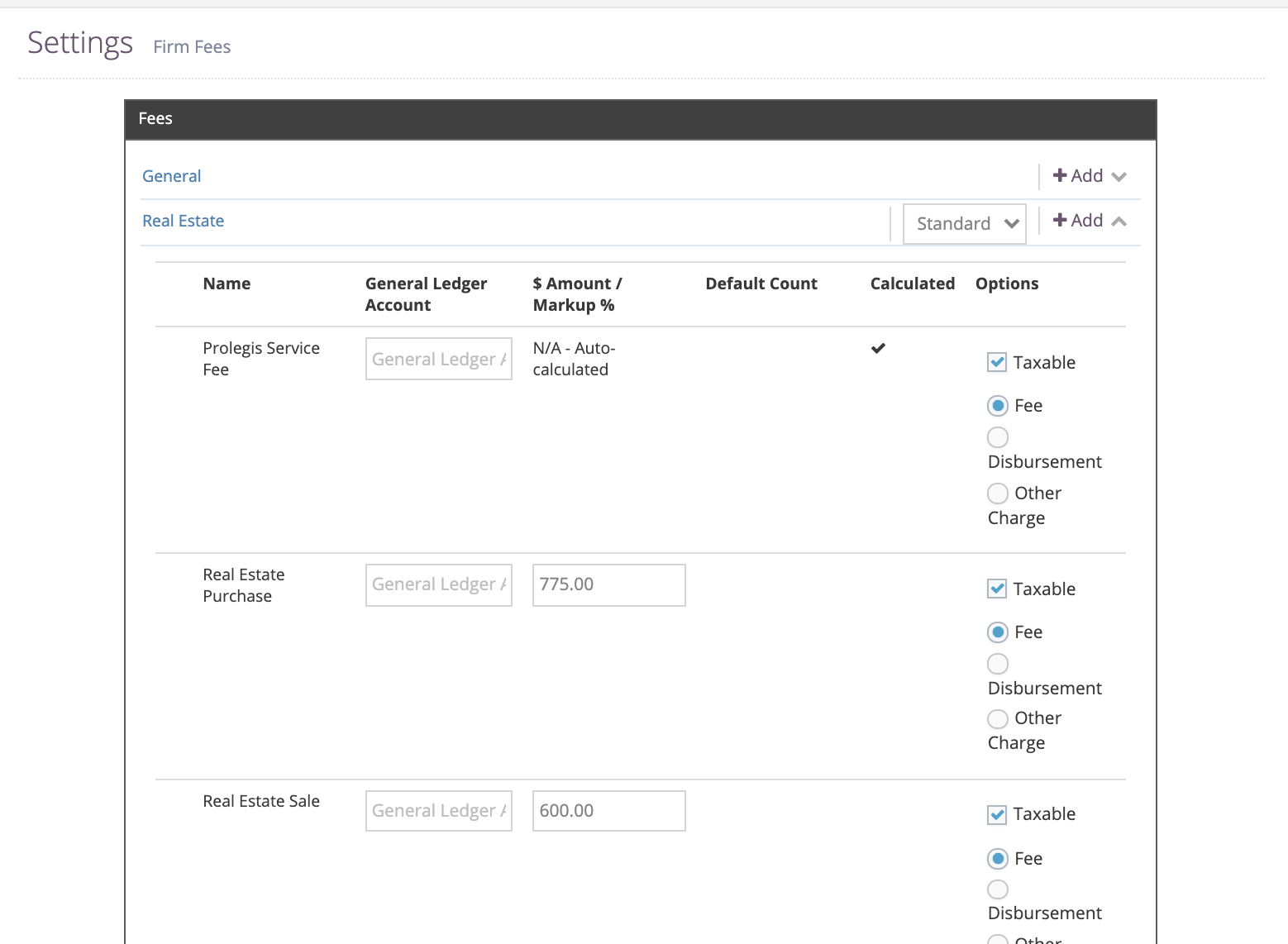
To indicate a particular cost is an Other Charge at the Global level. Go to the Firm \> Settings \> Fees menu. Next to the cost click "Other Charge" and then click Save.
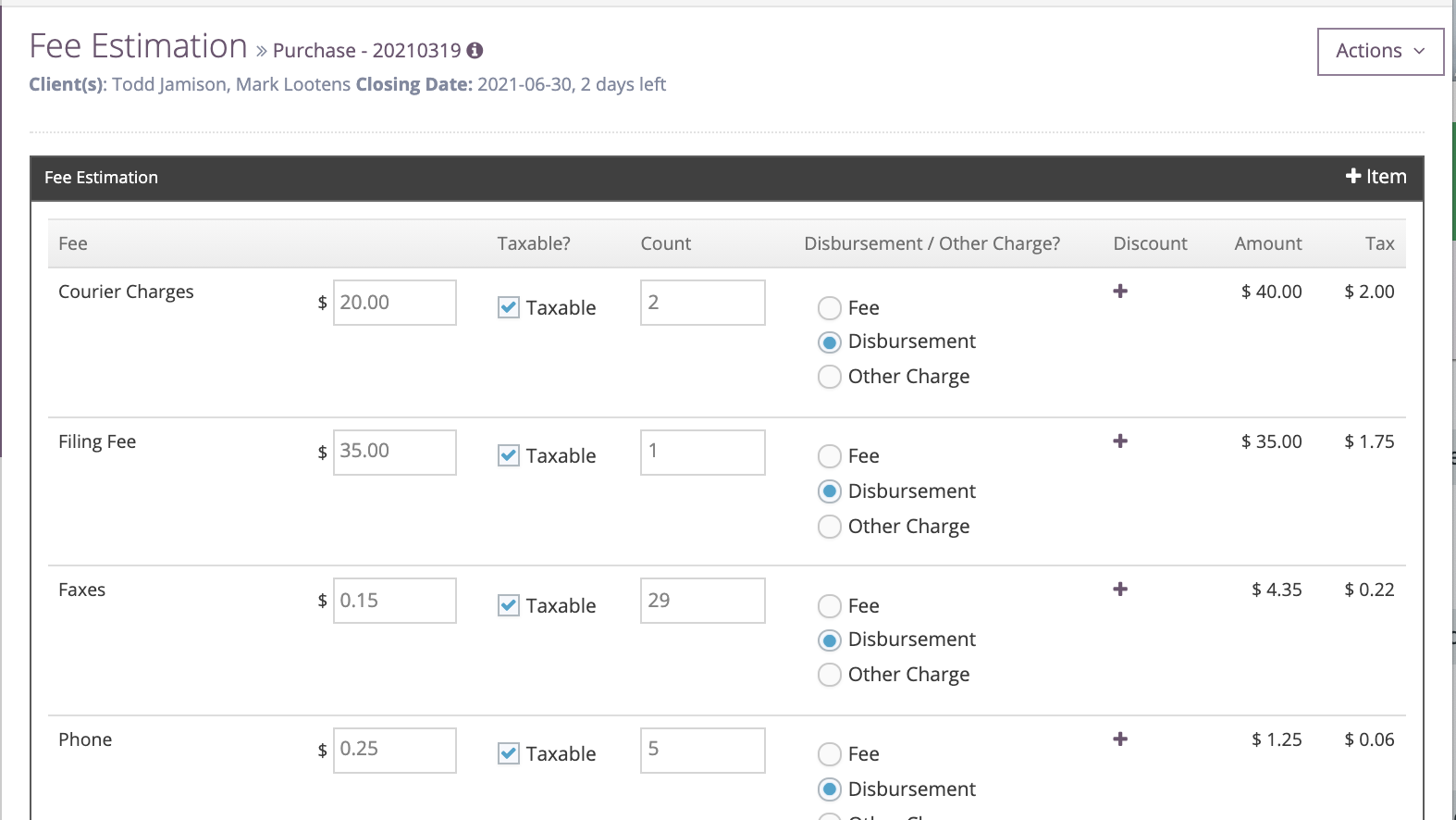
To indicate a particular cost is an Other Charge at the Matter Level, go to the Actions Menu \> Fee Estimation. Next to the cost, click "Other Charge" and then click Save.
- [Get started](https://kb.prolegis.ca/get-started?hsLang=en)
- [Real Estate Conveyancing](https://kb.prolegis.ca/real-estate-conveyancing?hsLang=en#main-content)
- [Alberta](https://kb.prolegis.ca/real-estate-conveyancing?hsLang=en#alberta)
- [Ontario](https://kb.prolegis.ca/real-estate-conveyancing?hsLang=en#ontario)
- [Estate Plan](https://kb.prolegis.ca/estate-plan?hsLang=en)
- [Get Organized](https://kb.prolegis.ca/get-organized?hsLang=en)
- [New!](https://kb.prolegis.ca/new?hsLang=en)
- [FAQs](https://kb.prolegis.ca/faqs?hsLang=en)
- [Integrations](https://kb.prolegis.ca/integrations?hsLang=en)
- [Settings](https://kb.prolegis.ca/settings?hsLang=en)
[](http://www.prolegis.ca)
www.prolegis.ca Help Center
Copyright © 2026, Prolegis Solutions Ltd.