![Full Prolegis Logo.png]](https://kb.prolegis.ca/hs-fs/hubfs/Full%20Prolegis%20Logo.png?width=200&height=88&name=Full%20Prolegis%20Logo.png)
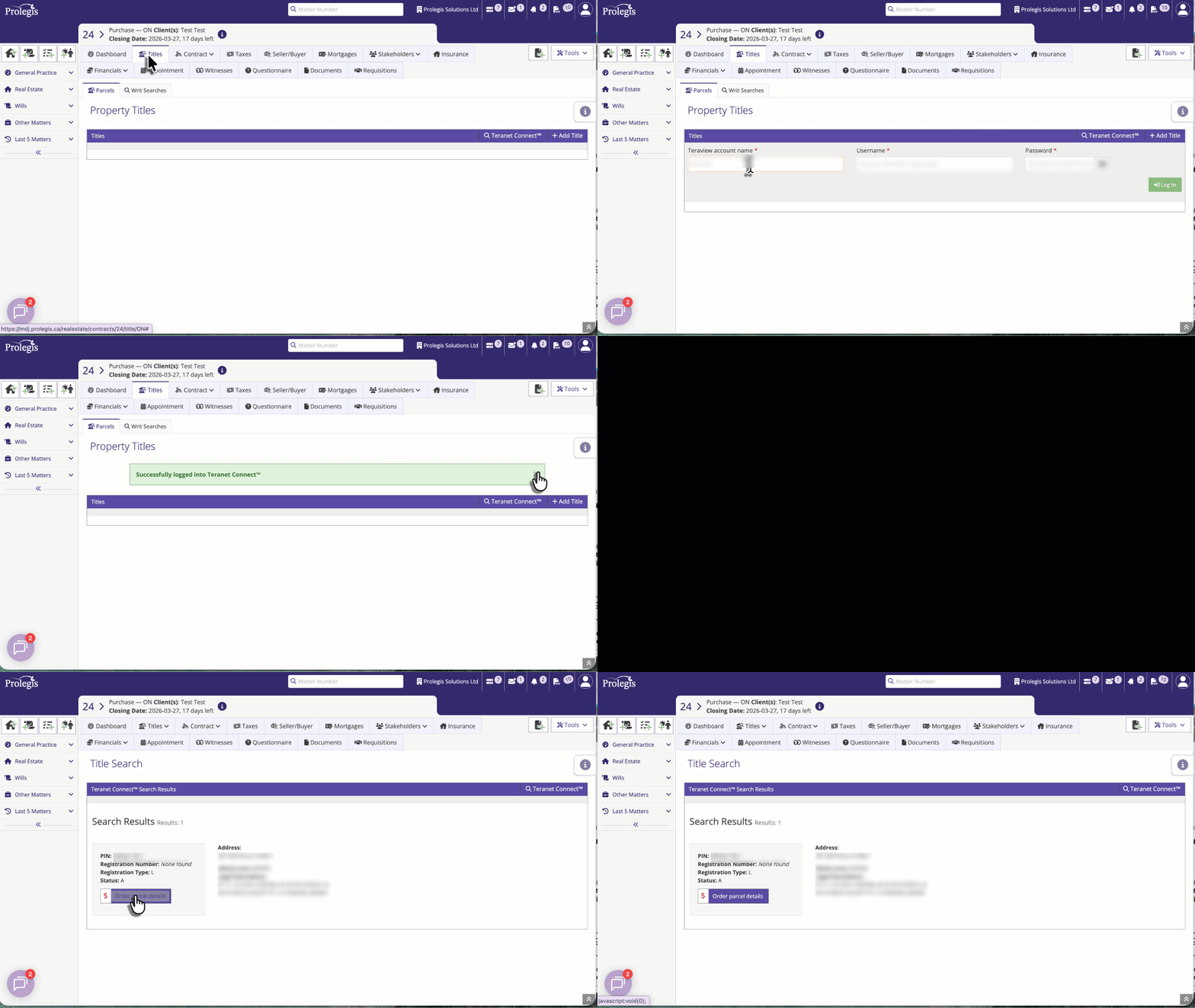
To order a parcel register to Actions > Titles. Enter your Teranet Connect username and password and click “Log in”
Search for the relevant parcel using the Search by PIN, by Instrument #, by Address, by Owner Name, or by Owners function and click Search.
To order the parcel, click Order Parcel Details for the relevant parcel.
You will need a Teranet Connect user login to use this service.
In the parcel details screen, you can:
1. indicate whether the parcel is included, excluded, abutting or abutting and included
2. view and order the parcel register
3. view and order the map (when a map is ordered, the user can purchase abutting parcel registers for review. )
4. view and order the writ searches for property owners
5. order an instrument document
6. review deleted instruments
.gif?width=660&height=421&name=2026-06-01_11-32-38%20(1).gif)