![Full Prolegis Logo.png]](https://kb.prolegis.ca/hs-fs/hubfs/Full%20Prolegis%20Logo.png?width=200&height=88&name=Full%20Prolegis%20Logo.png)
You can add GST to these changes. That GST is added to the total GST. The GST rebate calculations also reflect the addition of these amendments (change orders).
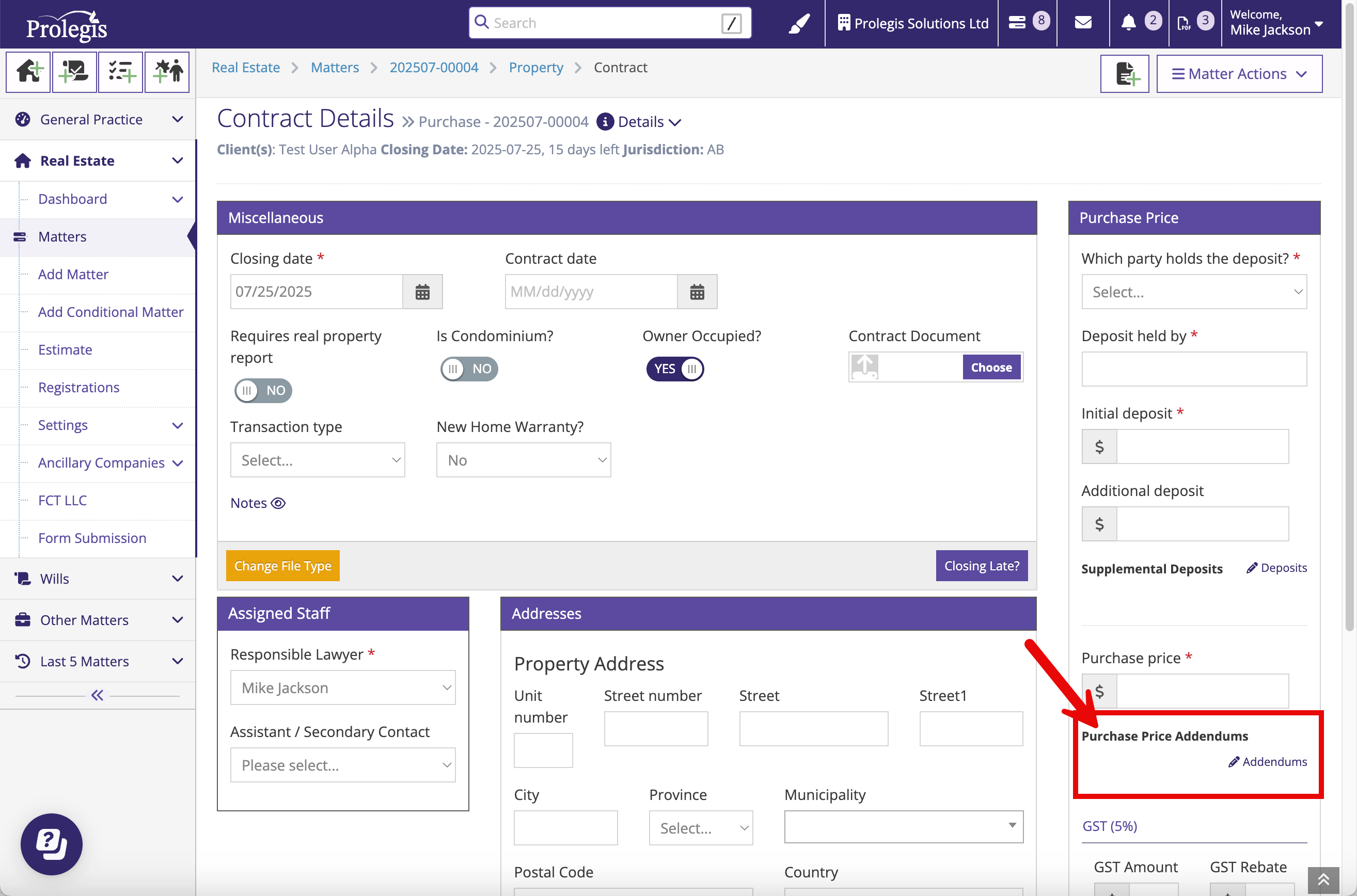
To add a purchase price addendum, go to the Contract (AB) or APS (ON) action.
Click “Addendums”.
Add one or many addendums to the Purchase Price. A description can be added (e.g. “Change Order 1, etc.).
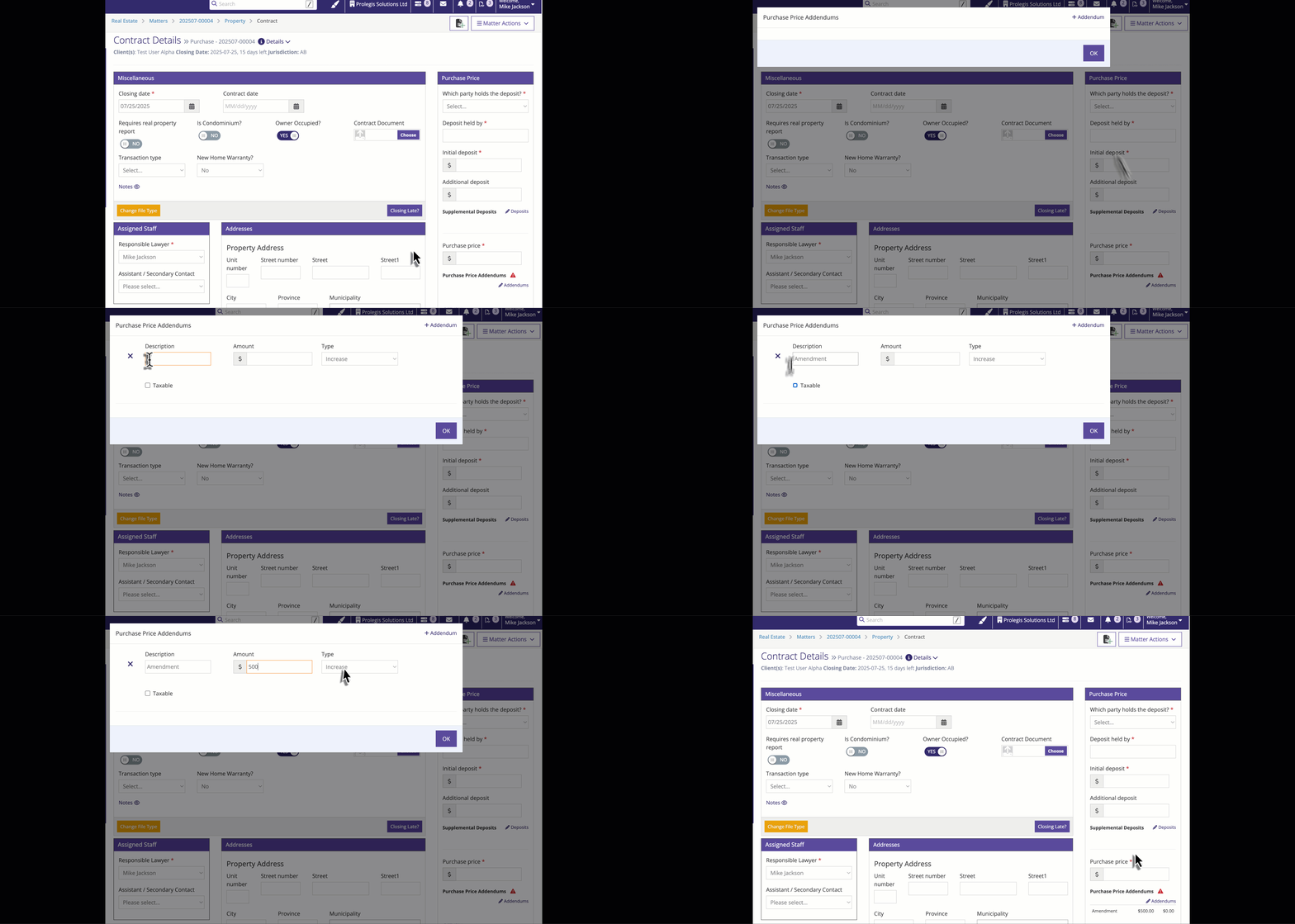
Click Save to update the total Purchase Price.
As you add addendums and GST, clicking Save will update the Totals for Purchase Price and GST.