---
title: How do I create a mirror will in Prolegis?
description: This article describes how you can create a mirror will in Prolegis
---
[Skip to content](https://kb.prolegis.ca/how-do-i-create-a-mirror-will-in-prolegis#main-content)
[![Full Prolegis Logo.png\]](https://kb.prolegis.ca/hs-fs/hubfs/Full%20Prolegis%20Logo.png?width=200&height=88&name=Full%20Prolegis%20Logo.png)](https://simplicity.prolegis.ca/)
Open main navigation
Close main navigation
- [Home](https://kb.prolegis.ca/)
[Home](https://kb.prolegis.ca/?hsLang=en)
How can we help?
- There are no suggestions because the search field is empty.
1. [Prolegis Knowledge Base](https://kb.prolegis.ca/?hsLang=en)
2. [Estate Plan](https://kb.prolegis.ca/estate-plan?hsLang=en)
July 1, 2025
# How do I create a mirror will in Prolegis?
## This article describes how you can create a mirror will in Prolegis
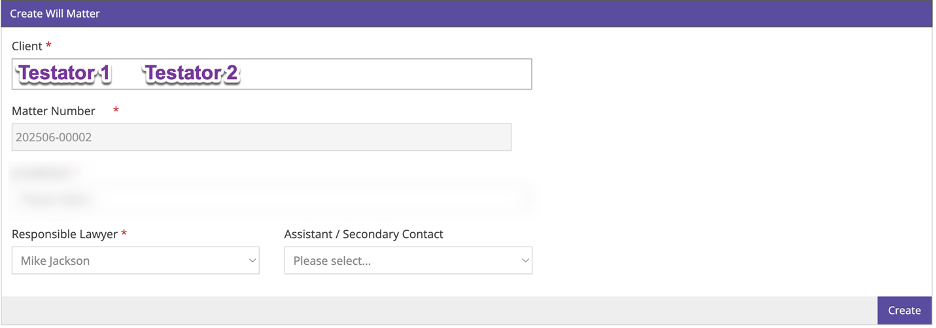
To create a mirror will in Prolegis, add two clients when creating the matter. Both clients will be added as testators.
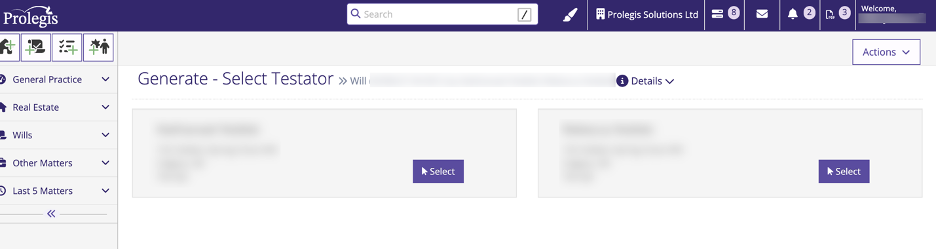
Once the data entry is complete, when you creating documents, you will be asked which of the two testators the document will be created for. Select the relevant testator and create the document.
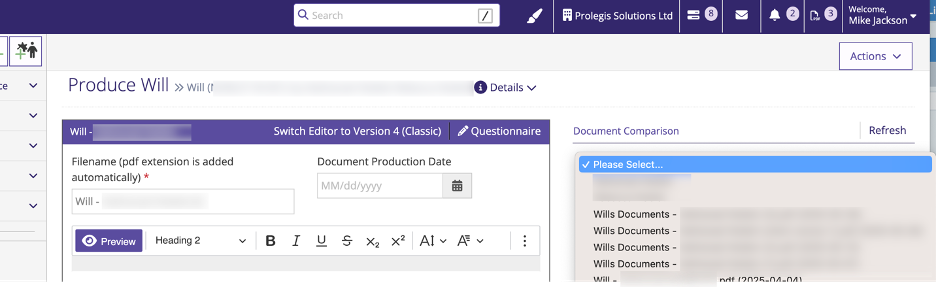
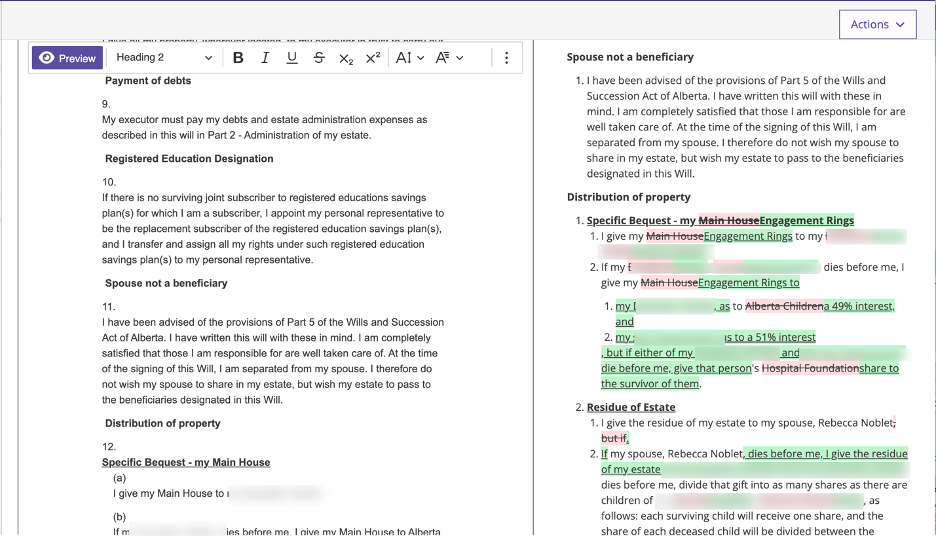
Once that document is created, follow the same process to create the document for the other testator. You can compare that document with the document prepared for the first testator.
- [Get started](https://kb.prolegis.ca/get-started?hsLang=en)
- [Real Estate Conveyancing](https://kb.prolegis.ca/real-estate-conveyancing?hsLang=en#main-content)
- [Alberta](https://kb.prolegis.ca/real-estate-conveyancing?hsLang=en#alberta)
- [Ontario](https://kb.prolegis.ca/real-estate-conveyancing?hsLang=en#ontario)
- [Estate Plan](https://kb.prolegis.ca/estate-plan?hsLang=en)
- [Get Organized](https://kb.prolegis.ca/get-organized?hsLang=en)
- [New!](https://kb.prolegis.ca/new?hsLang=en)
- [FAQs](https://kb.prolegis.ca/faqs?hsLang=en)
- [Integrations](https://kb.prolegis.ca/integrations?hsLang=en)
- [Settings](https://kb.prolegis.ca/settings?hsLang=en)
[](http://www.prolegis.ca)
www.prolegis.ca Help Center
Copyright © 2026, Prolegis Solutions Ltd.