---
title: How do I add a draw mortgage to Prolegis?
description: Handle mortgages with more than one advance of funds in Prolegis. When additional advances are added to Prolegis your cash to bring (for purchases) and net proceeds (for refinances) will automatically update.
---
[Skip to content](https://kb.prolegis.ca/multiple-advances-/-draw-mortgages#main-content)
[![Full Prolegis Logo.png\]](https://kb.prolegis.ca/hs-fs/hubfs/Full%20Prolegis%20Logo.png?width=200&height=88&name=Full%20Prolegis%20Logo.png)](https://simplicity.prolegis.ca/)
Open main navigation
Close main navigation
- [Home](https://kb.prolegis.ca/)
[Home](https://kb.prolegis.ca/?hsLang=en)
How can we help?
- There are no suggestions because the search field is empty.
1. [Prolegis Knowledge Base](https://kb.prolegis.ca/?hsLang=en)
2. [Real Estate Conveyancing](https://kb.prolegis.ca/real-estate-conveyancing?hsLang=en)
July 1, 2025
# How do I add a draw mortgage to Prolegis?
## Handle mortgages with more than one advance of funds in Prolegis. When additional advances are added to Prolegis your cash to bring (for purchases) and net proceeds (for refinances) will automatically update.
To add an additional advance to your mortgage, Go to the New Mortgages Action.
Click the box next to “Draw Mortgage?”
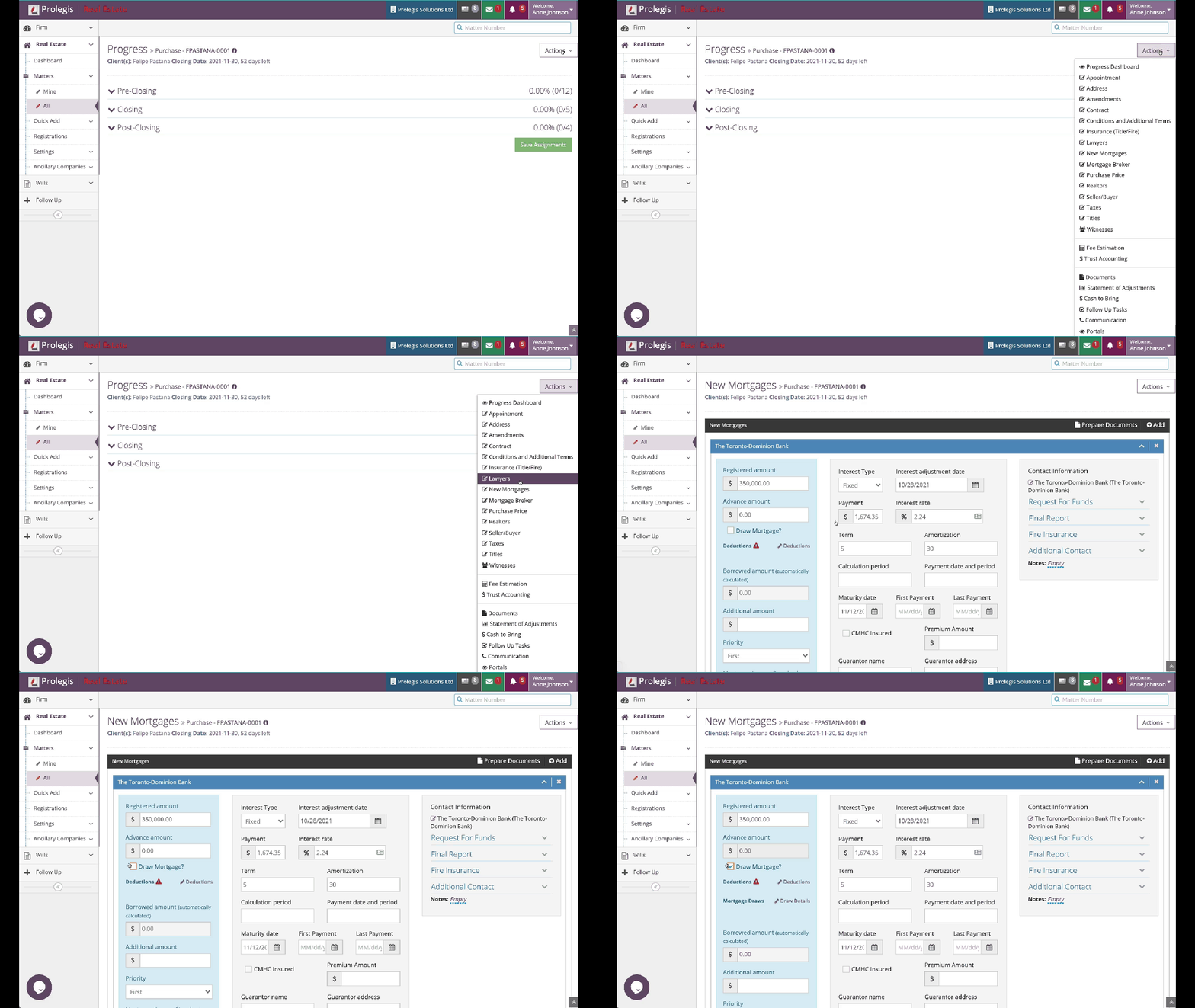
Click the “Draw Details” link
Click “+Draws” to add a new advance
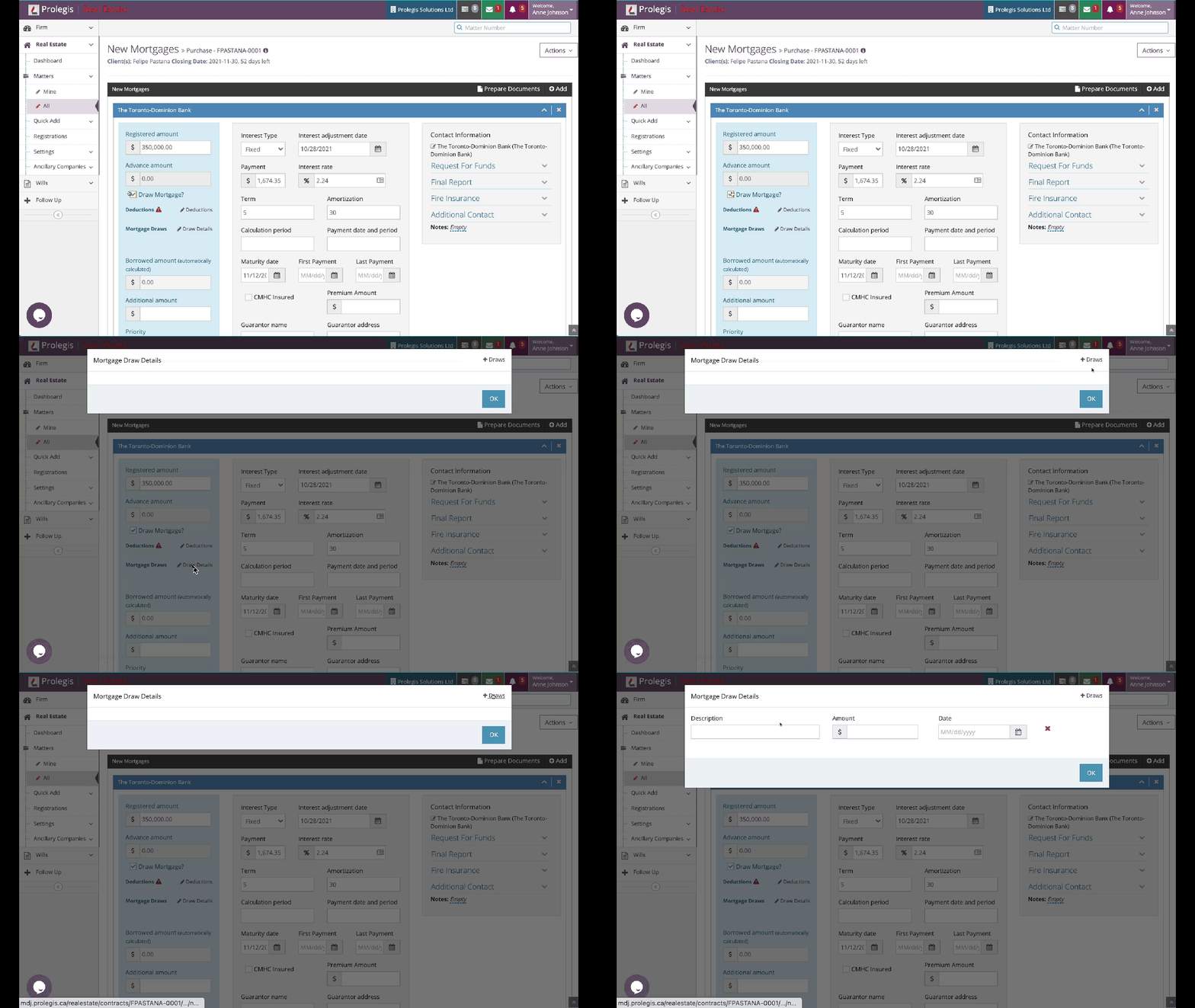
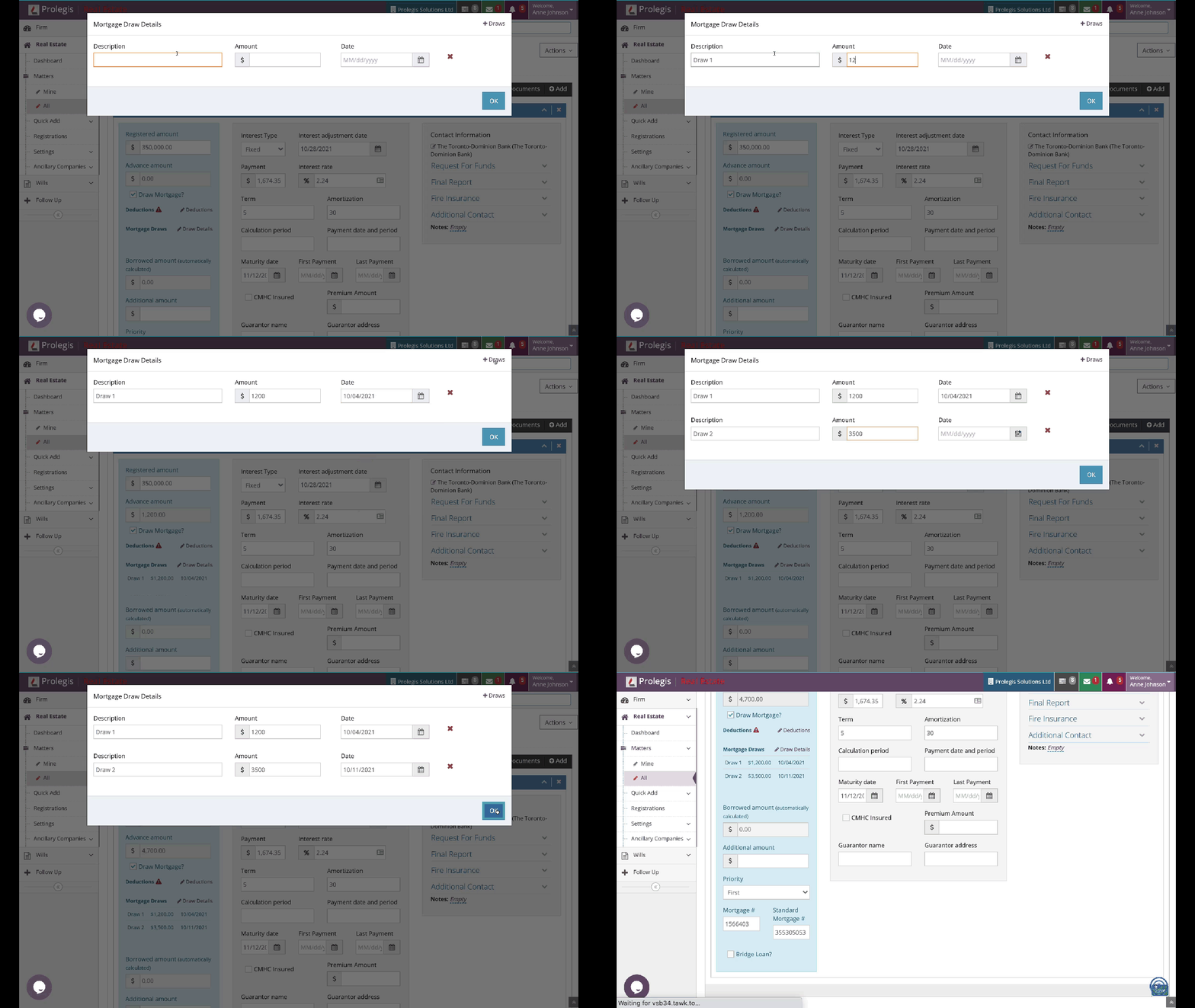
Complete the “Description”, “Amount” and “Date Fields”
Click “OK”
Click “Save”
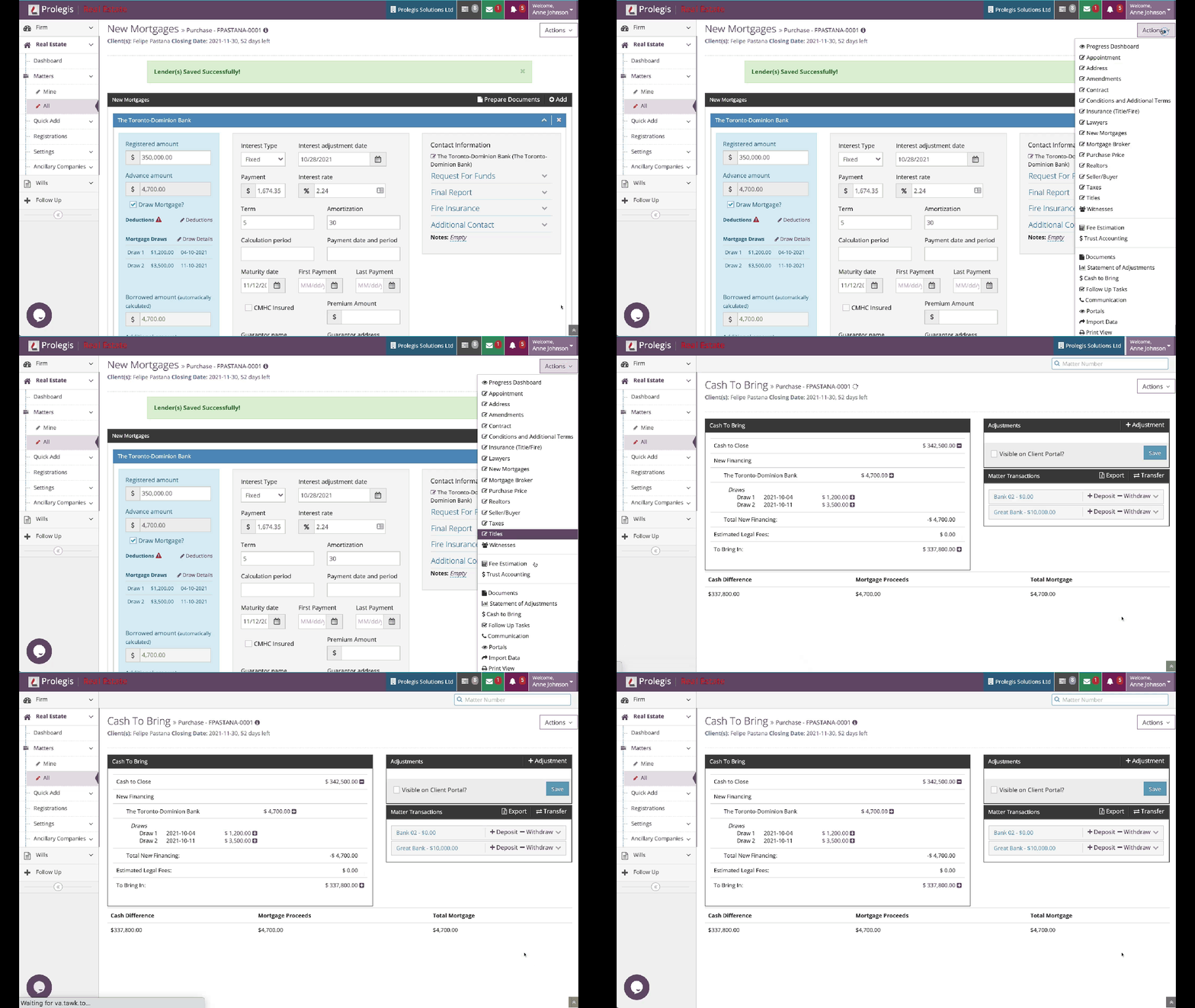
To view the advances in the Cash to Bring / Net Proceeds, navigate to the Cash to Bring / Net Proceeds.
- [Get started](https://kb.prolegis.ca/get-started?hsLang=en)
- [Real Estate Conveyancing](https://kb.prolegis.ca/real-estate-conveyancing?hsLang=en#main-content)
- [Alberta](https://kb.prolegis.ca/real-estate-conveyancing?hsLang=en#alberta)
- [Ontario](https://kb.prolegis.ca/real-estate-conveyancing?hsLang=en#ontario)
- [Estate Plan](https://kb.prolegis.ca/estate-plan?hsLang=en)
- [Get Organized](https://kb.prolegis.ca/get-organized?hsLang=en)
- [New!](https://kb.prolegis.ca/new?hsLang=en)
- [FAQs](https://kb.prolegis.ca/faqs?hsLang=en)
- [Integrations](https://kb.prolegis.ca/integrations?hsLang=en)
- [Settings](https://kb.prolegis.ca/settings?hsLang=en)
[](http://www.prolegis.ca)
www.prolegis.ca Help Center
Copyright © 2026, Prolegis Solutions Ltd.