![Full Prolegis Logo.png]](https://kb.prolegis.ca/hs-fs/hubfs/Full%20Prolegis%20Logo.png?width=200&height=88&name=Full%20Prolegis%20Logo.png)
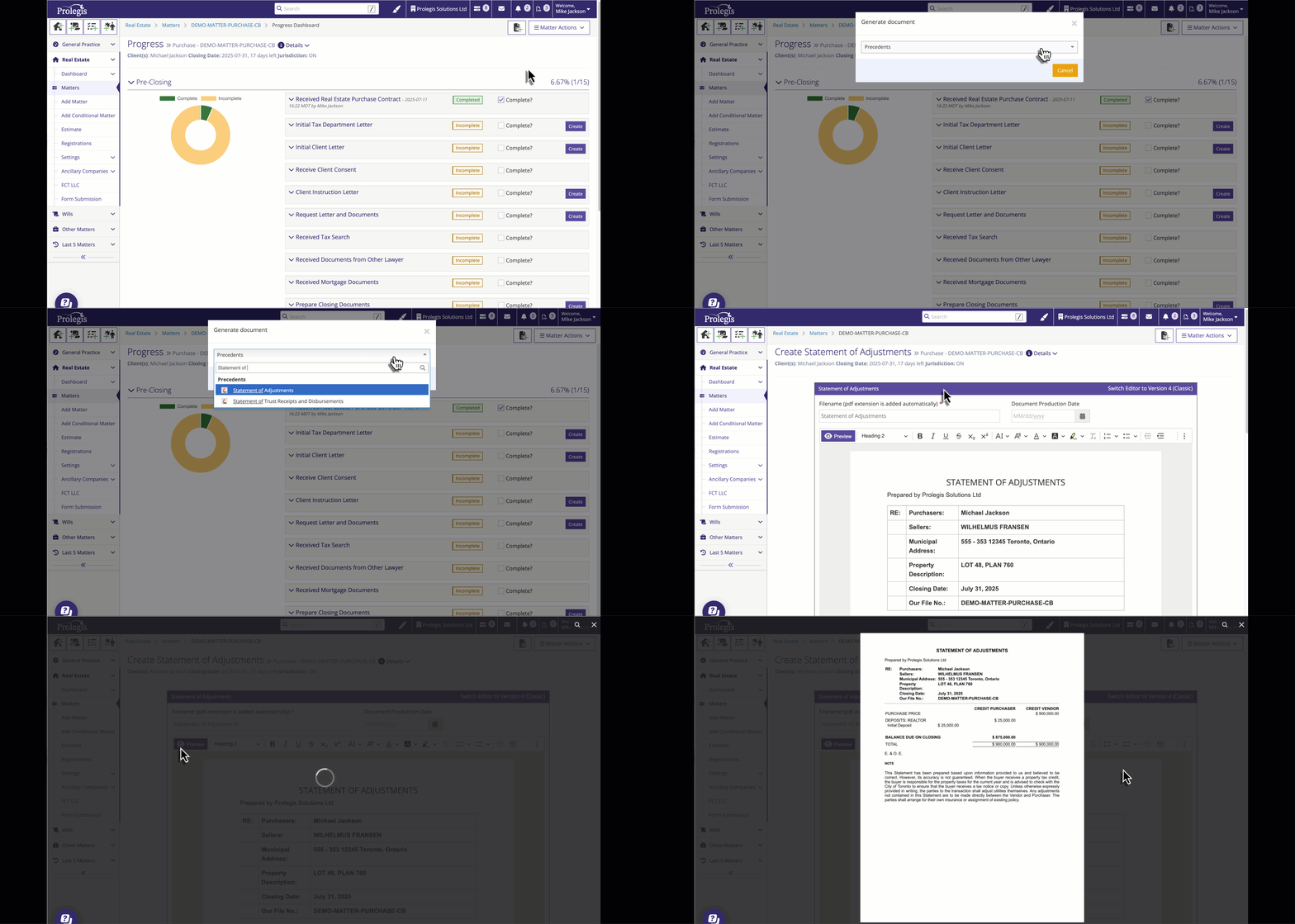
Precedent letters and documents are available as part of your matter. You can search for these precedents and create them quickly and easily in Prolegis.
To create a letter or other document from a Prolegis precedent, you can either: 1) click the Documents button that is at the top of every screen in the matter and search for the letter or other document precedent you are looking for
or
2) go to the Actions menu and navigate to Documents

Scroll down to the Precedents button and either search or type the name of the precedent you are searching for an click on it. You will be taken to the editor window.
